Modules have progress tracking on by default (this has been the case since academic year 23/24). This will help you keep track of what content in your module you have interacted with so you can tell at a glance what you still need to do.
Note that if you don’t see this, your instructor may have disabled this tool in your module.
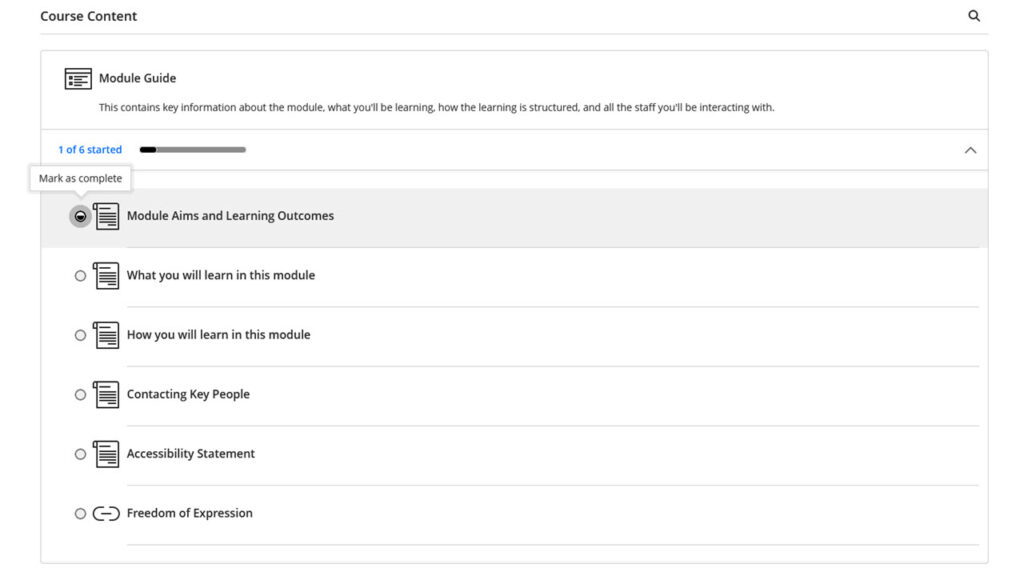
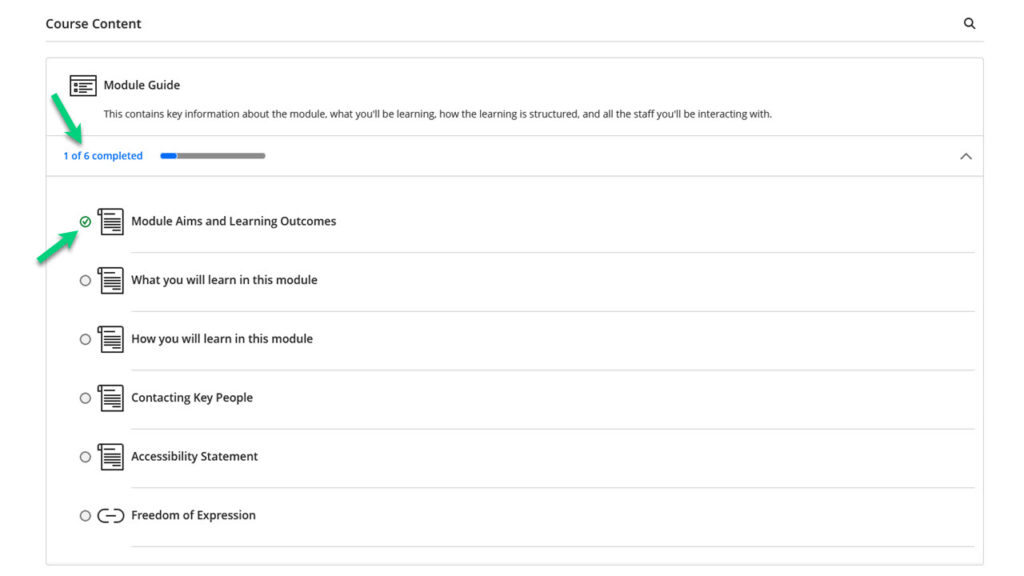
It shows what content you haven’t opened, what content you have opened, and what you have completed. Items you have or have not opened will be tracked automatically, and you can mark items as completed manually.
Blackboard tests, quizzes, and assignments will be marked completed automatically.
You can look at your Learning Modules to see how many items you have opened. If you have opened an item, it will have a circle half-filled next to it.

To mark an item as completed, you must have first opened it. Once you have done this, you can tick the half-filled circle to mark it as complete.